Search
Search the products of all your suppliers at once, by name or item number, and quickly find what you order often.
With the search bar at the top, you search the products of all your suppliers at once.
How the search bar works
Click in the search bar. Even before you type, you see:
- Recent searches: your last five searches on this computer.
- Order again: products you order regularly, with how often you usually buy them.
- Browse: shortcuts to your purchase history, your lists, your favorites and your low stock.
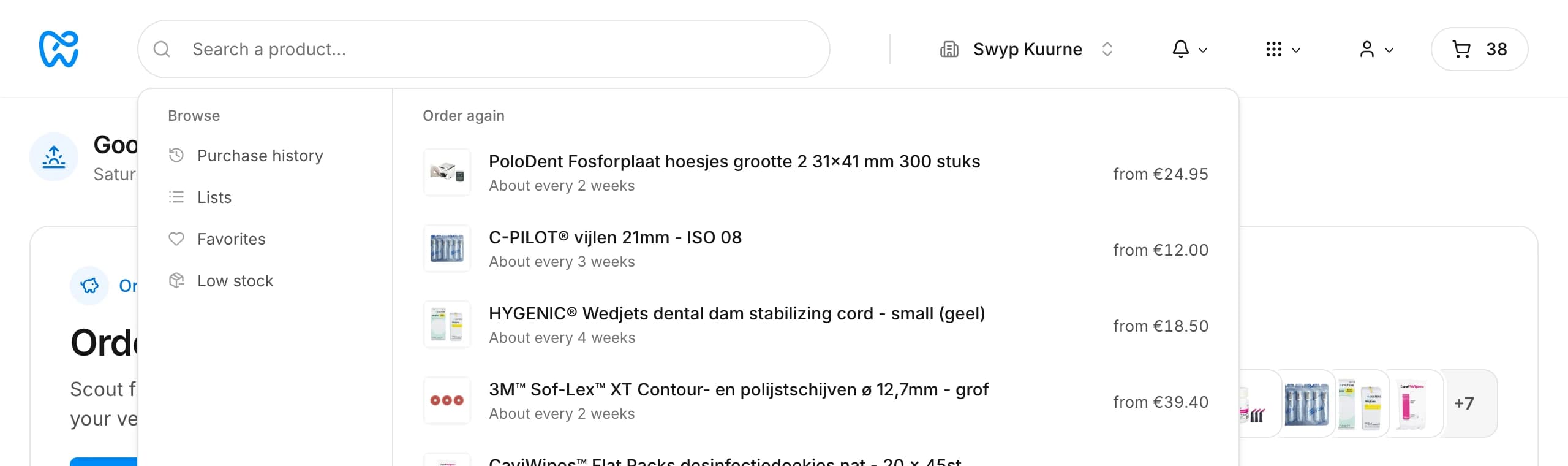
Type at least three characters to search. The first results appear right away under the search bar. Press Enter or click the link below the results to see them all.
What you can search for
- The product name, even if you make a typo or type only part of a word.
- An item number, from the manufacturer or from a supplier.
- A link to a product on a supplier's website. Paste the link into the search bar and Swyp opens that product.
Searching by brand or by barcode (EAN) doesn't work. In that case, search by the product name.
Sort results
On the page with all results, you sort by Relevance, Alphabetical or the number of suppliers that sell the product.
Products you use often rank higher
When you sort by relevance, Swyp ranks products you already work with higher in the results: your favorites, products whose inventory you track, products in your lists and products you've bought before. If you find a product hard to find, mark it as a favorite or put it in a list.
Nothing found?
Check the spelling or search for a shorter name. If you still can't find a product, click Report a search issue. Your report goes straight to our team, with what you searched for.
Read next
New to Swyp? Try it free for 30 days. Create an accountSee pricing
Was this page helpful?
Last updated on