Order with Scout
Let Scout put together an order with what's running low and what you buy regularly, and find the cheapest split across your suppliers.
With Order with Scout, you put together your next order in a few steps. Scout prepares what's running low and what you order regularly. You make changes, and Scout then finds the cheapest split across your suppliers for everything together. Nothing is ordered until you check out.
Where to start
- On your home page, with Start order. That card appears as soon as Scout has something to order.
- In Inventory and Low stock, with the Order with Scout button.
Choose what you want to order
Scout shows two lists:
- Running low: products from your inventory that are below their minimum. They're already checked, with the quantity you need to get back to your maximum.
- Suggested for you: products you order regularly, with how often you usually buy them. Check what you want now as well.
Adjust the quantities and click the button to add them to your order.
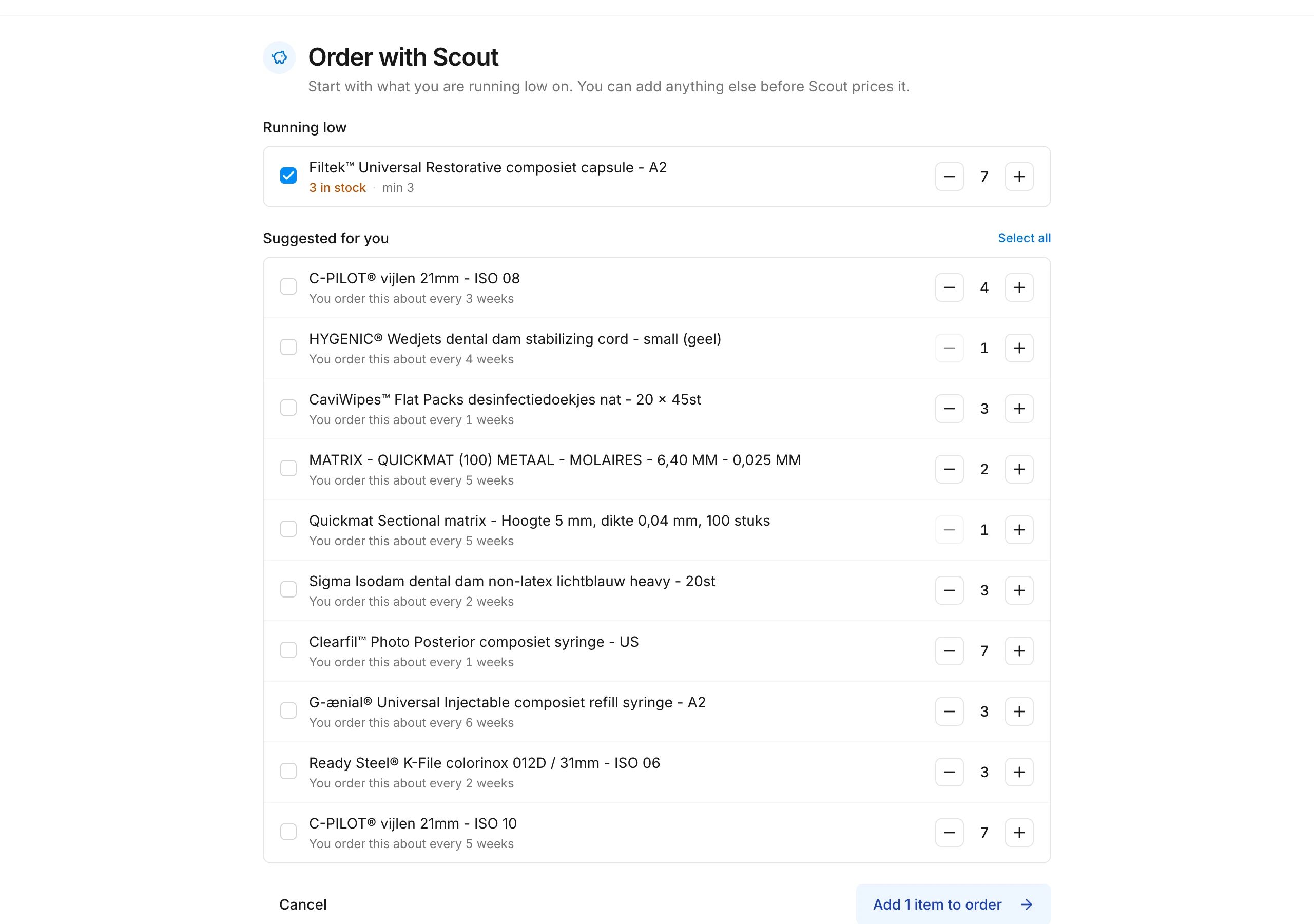
Add to your order
Need anything else? Click Add more items. On the product pages, the button then says Add to order. What you add this way appears under Added by you.
Let Scout calculate
Click Finish with Scout. Scout compares your new items and what's already in your cart across all your suppliers, shipping included. At the top you see the total; below it, what Scout adds and what it moves in your cart. Switch off what you don't want.
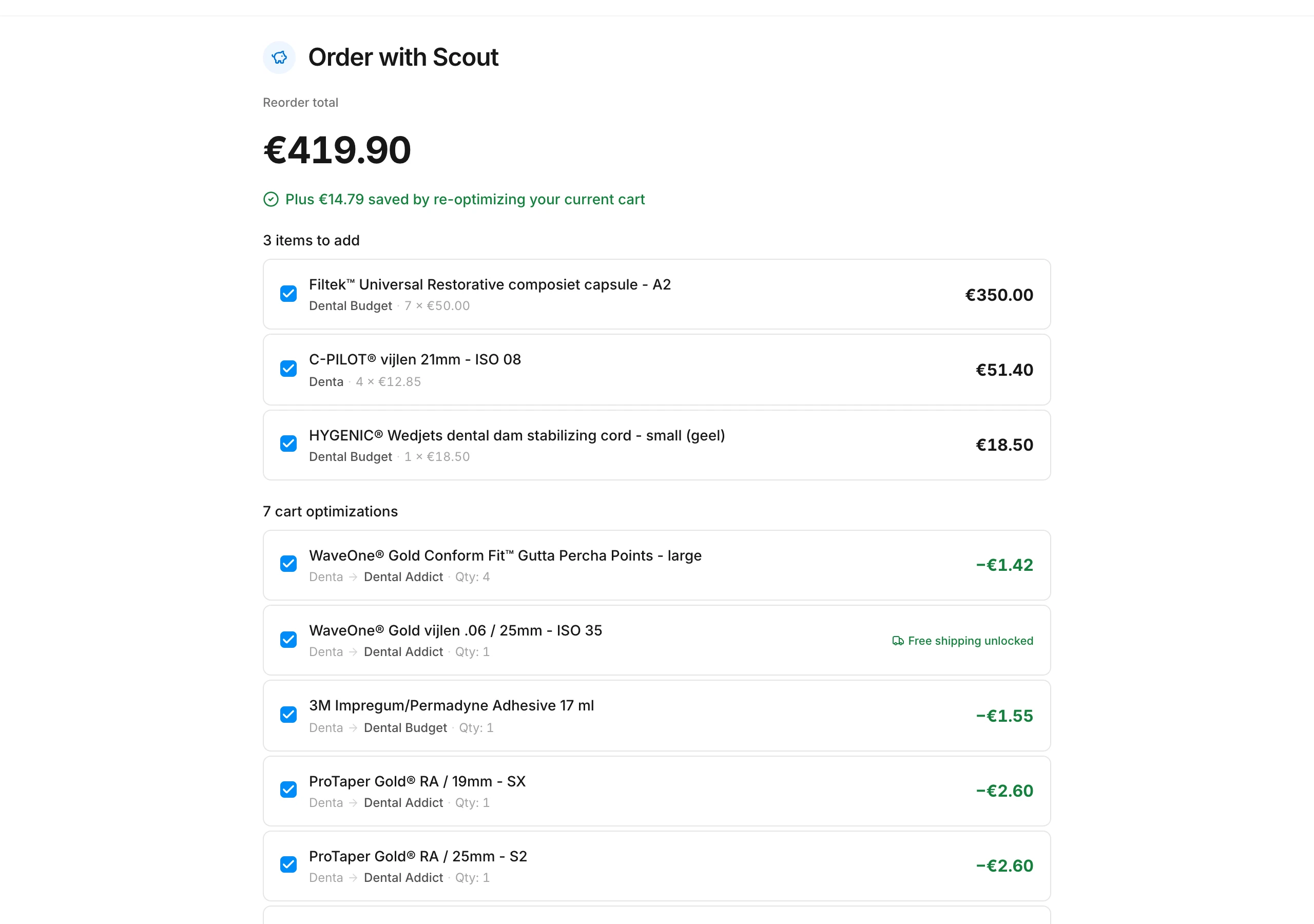
Apply the prices
Click Use these prices. Scout puts everything in your cart at the cheapest supplier. Then click Continue to checkout to place your order.
Good to know
- You can pause. While your order is in progress, Swyp shows a bar on every page so you can pick up where you left off. If your cart has changed in the meantime, Scout asks to recalculate.
- Not everything can be delivered. If none of your connected suppliers can deliver an item right now, Scout doesn't add it and tells you so. Order it again later or from another supplier.
- Custom products aren't included. Products you buy outside Swyp and track as a custom product, you order yourself.
- You can always discard. If you discard an order, whatever was already in your cart stays there.
Read next
New to Swyp? Try it free for 30 days. Create an accountSee pricing
Was this page helpful?
Last updated on