The product page
What you see on a product page: your price at each supplier, stock, offers, your year-end rebate and when you last bought it.
On the product page, you see one product at all your connected suppliers, one below the other, each with your price. From here, you add the product to your cart.
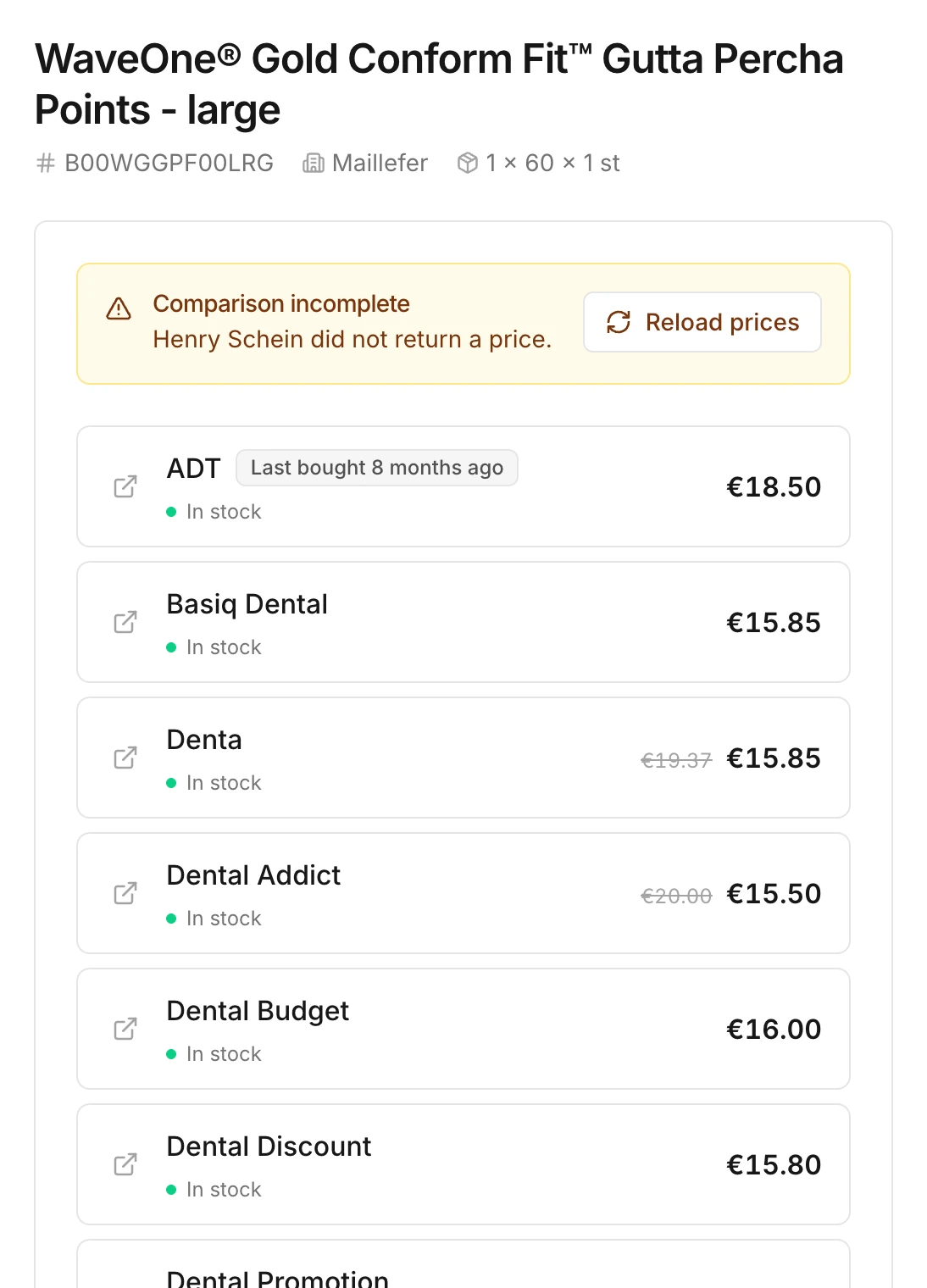
Prices per supplier
Each row is a supplier that sells the product and that you're connected to. You see the price that supplier charges you and whether the product is in stock there:
- In stock: the supplier can deliver the product.
- On backorder: you can order it, but the supplier delivers it later.
- Out of stock: you can't order the product from that supplier right now. You can't select that row.
If suppliers you're not connected to yet sell the product, their row shows Connect to see pricing. Connect that supplier to see your price there too.
If the prices from one or more suppliers don't load, you see Comparison incomplete or Prices unavailable. Click Reload prices to try again.
Offers and discounts
- Supplier offer. A struck-through price with a piggy bank means the supplier is offering the product at a lower price right now. That offer comes directly from the supplier.
- Year-end rebate. If you've set a year-end rebate for a supplier, the row shows the price (after rebate), along with the rebate percentage.
When you last bought it
If you've bought the product through Swyp before, the supplier you last bought it from shows Last bought …. Hover over that label to see the date and the price at the time.
A big price difference
If the prices at different suppliers are far apart, Swyp shows a warning. Usually this means a supplier sells a different pack size under the same item number. Check the quantity before you order.
Report a problem
Is something wrong with a product, such as the price or the product information? Click Report an issue with this product below the photo. Your report goes straight to our team.
Read next
New to Swyp? Try it free for 30 days. Create an accountSee pricing
Was this page helpful?
Last updated on