Analytics
See what your practice spends per supplier, category and product, which prices went up and how your spending compares to last year.
Analytics shows what your practice spent through Swyp. You find it in the menu at the top.
The figures cover orders you placed through Swyp. Cancelled orders and orders outside Swyp don't count. Amounts include VAT, unless it says excl. VAT.
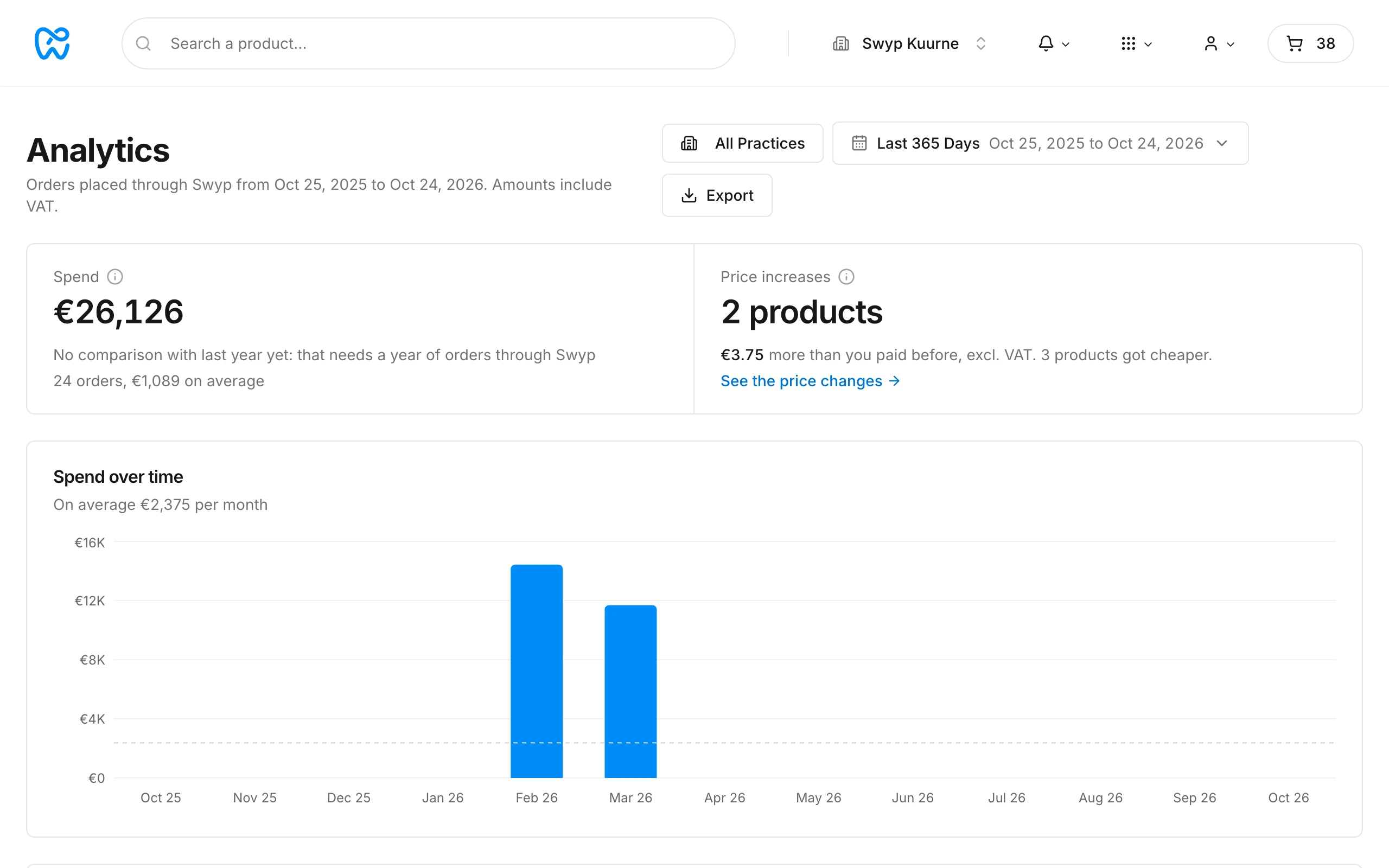
Choose a period
At the top, choose a period, such as the last 30 days, last month or year to date, or set your own period under Custom period. By default, you see the last 30 days. The period is part of the link, so you can send the page to a colleague as it is.
What you see
- Spend. How much you spent in the period, with the number of orders and the average per order. If you've been ordering through Swyp for a year, you also see the difference with the same period last year.
- Spend over time. Your spending per day, week or month.
- Price changes. Products you bought again from the same supplier, compared with the last price you paid for them, excl. VAT. You see what got more expensive and what got cheaper, and how much more or less you paid as a result.
- Suppliers and Categories. How your spending is split, with the average per order and the number of units.
- Top products. Your ten biggest products, by spending or by quantity.
Multiple practices
If you have more than one practice, you choose at the top which practices you want to see. If you choose more than one, Practices compares their spending.
Export
Click Export to download everything as an Excel file, with a tab for each section.
Read next
New to Swyp? Try it free for 30 days. Create an accountSee pricing
Was this page helpful?
Last updated on